
Monitoring
Monitoring is OpinionDeck’s continuous intelligence system. Instead of manually running discovery searches, you configure a Monitor once and OpinionDeck scans your chosen subreddits on an ongoing basis — delivering new leads and market patterns directly to your dashboard.
What is a Monitor?
A Monitor consists of:
| Field | Description |
|---|---|
| Name | A label for this monitor (e.g. “Notion Competitors”) |
| Website context | A short description of your product or the market you’re tracking (e.g. “Alternative to Notion for small teams”) |
| Subreddits | A list of subreddit names to scan (e.g. productivity, startups, entrepreneur) |
OpinionDeck uses the website context to score incoming posts — the more a post’s content matches your context, the higher its relevance score.
Creating a Monitor
From the Monitoring section of the dashboard:
- Type your product description or competitor name into the input field
- Click Propose — OpinionDeck’s AI will suggest:
- A list of relevant subreddits to watch
- A refined website context
- Review and adjust the proposed subreddits
- Click Start Monitoring
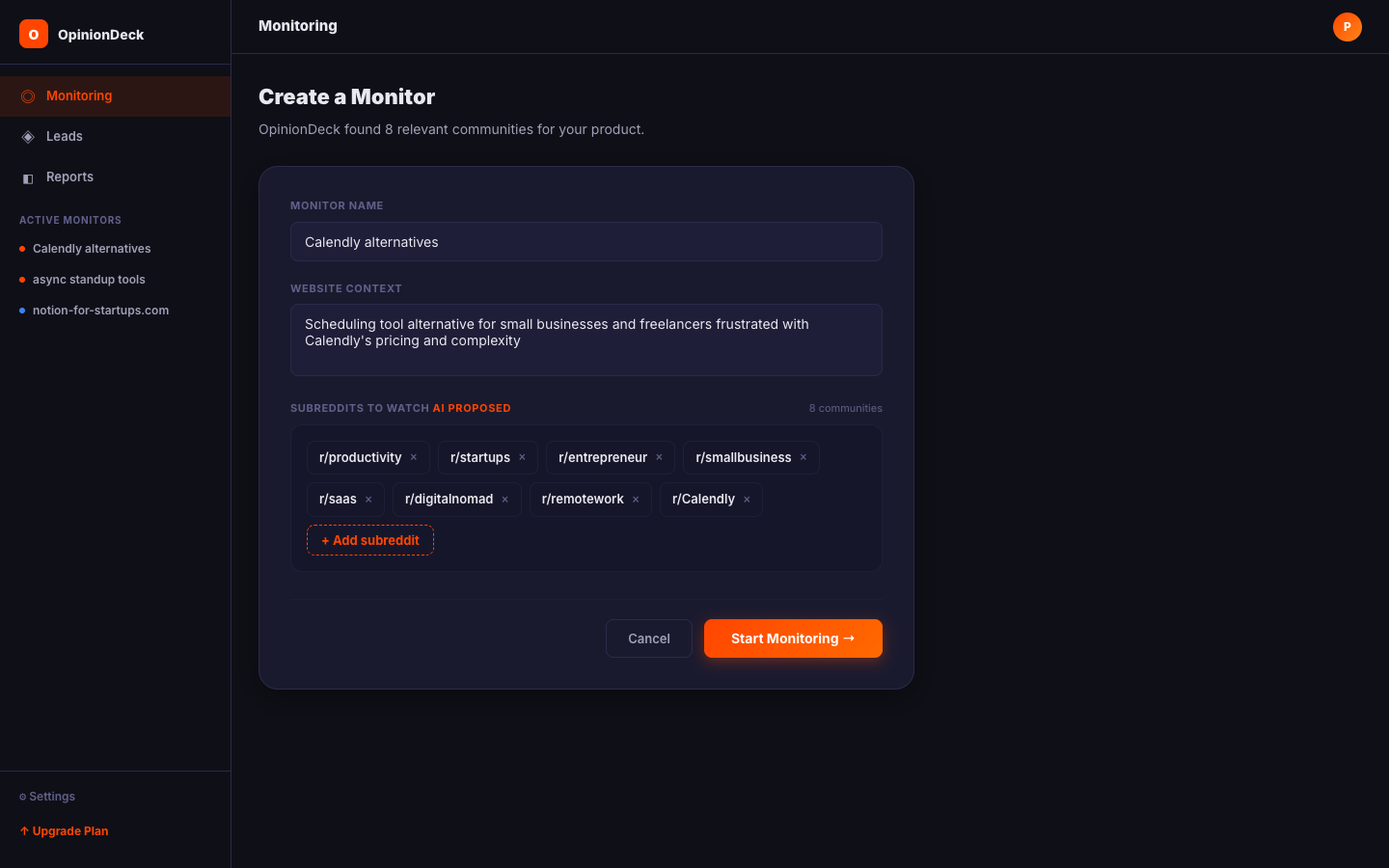
OpinionDeck will immediately run the first scan and return to your Monitoring Dashboard.
Monitor limits by plan
| Plan | Max monitors | Subreddits per monitor |
|---|---|---|
| Free | 0 | — |
| Trial | 1 | 10 |
| Pro | 3 | 10 |
| Max | 10 | 20 |
If you’ve reached your plan’s monitor limit, you’ll see an Upgrade plan prompt when trying to create a new monitor.
How scanning works
Once a Monitor is active, OpinionDeck scans your subreddits every 8 hours. Each run checks for posts published since the previous scan. The flow:
- Fetches new posts from each subreddit
- Scores each post using the website context as a relevance signal:
- Intent keyword matches (frustration, alternative, comparison, recommendation)
- Post engagement (score + comment count)
- Post freshness (newer posts score higher)
- Community quality (established subreddits with active discussion)
- Filters low-relevance posts — only posts that clear the relevance bar are saved (the rest would just be noise in your feed)
- Creates Lead records for high-scoring posts
- Groups patterns — if the same pain point appears across multiple posts, it’s flagged as a recurring Pattern
Leads feed
The Leads feed (accessible from the Inbox tab of any Research Deck) shows all posts that matched your monitor’s criteria.
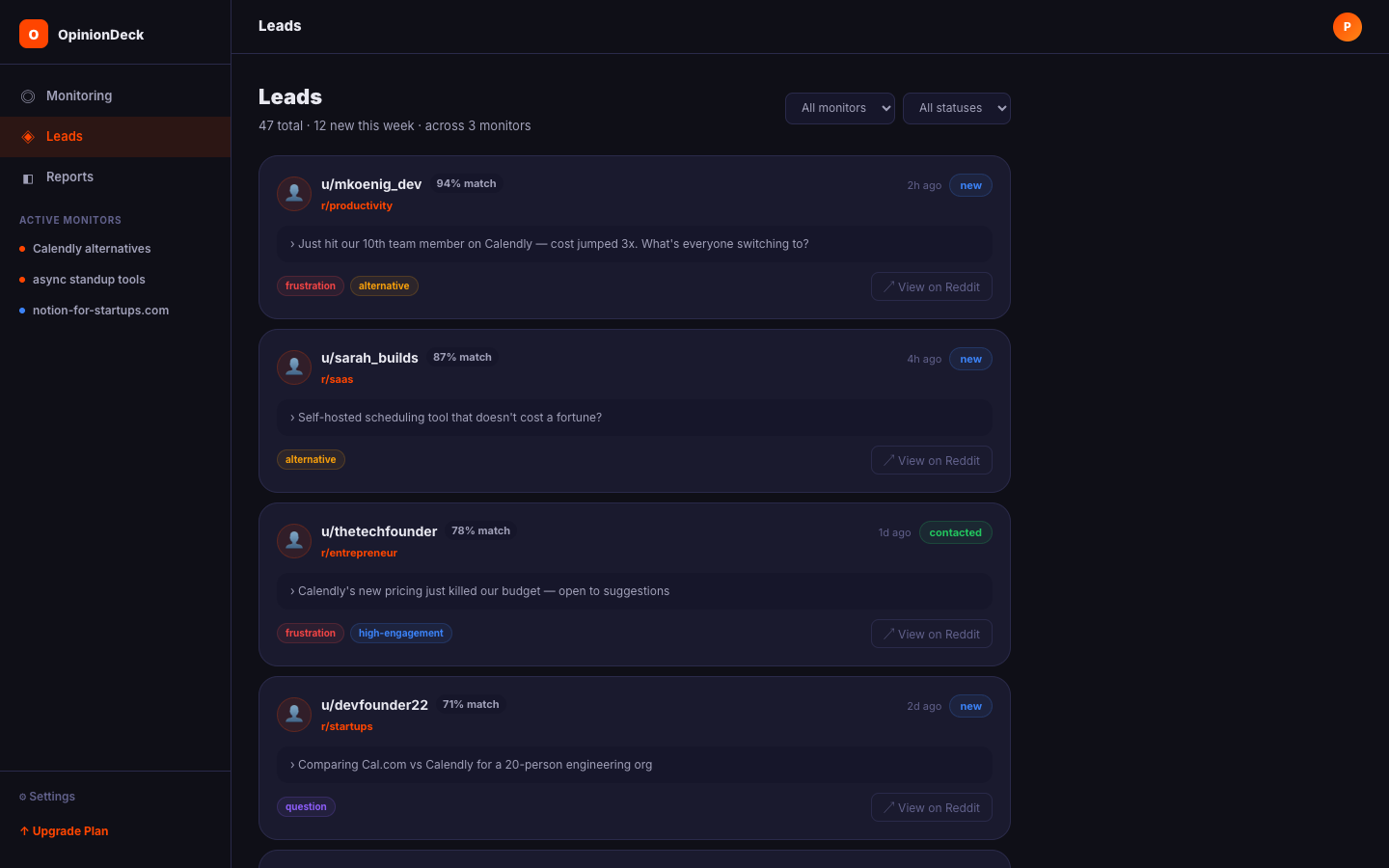
Each lead shows:
- Post title and subreddit
- Post author
- Relevance score
- Status badge:
new,contacted, orignored - Link to the original Reddit thread
Lead statuses
| Status | Meaning |
|---|---|
new | Newly discovered, not yet actioned |
contacted | You’ve reached out to this user |
ignored | Not relevant; removed from your active feed |
Update a lead’s status by clicking the status badge.
Patterns
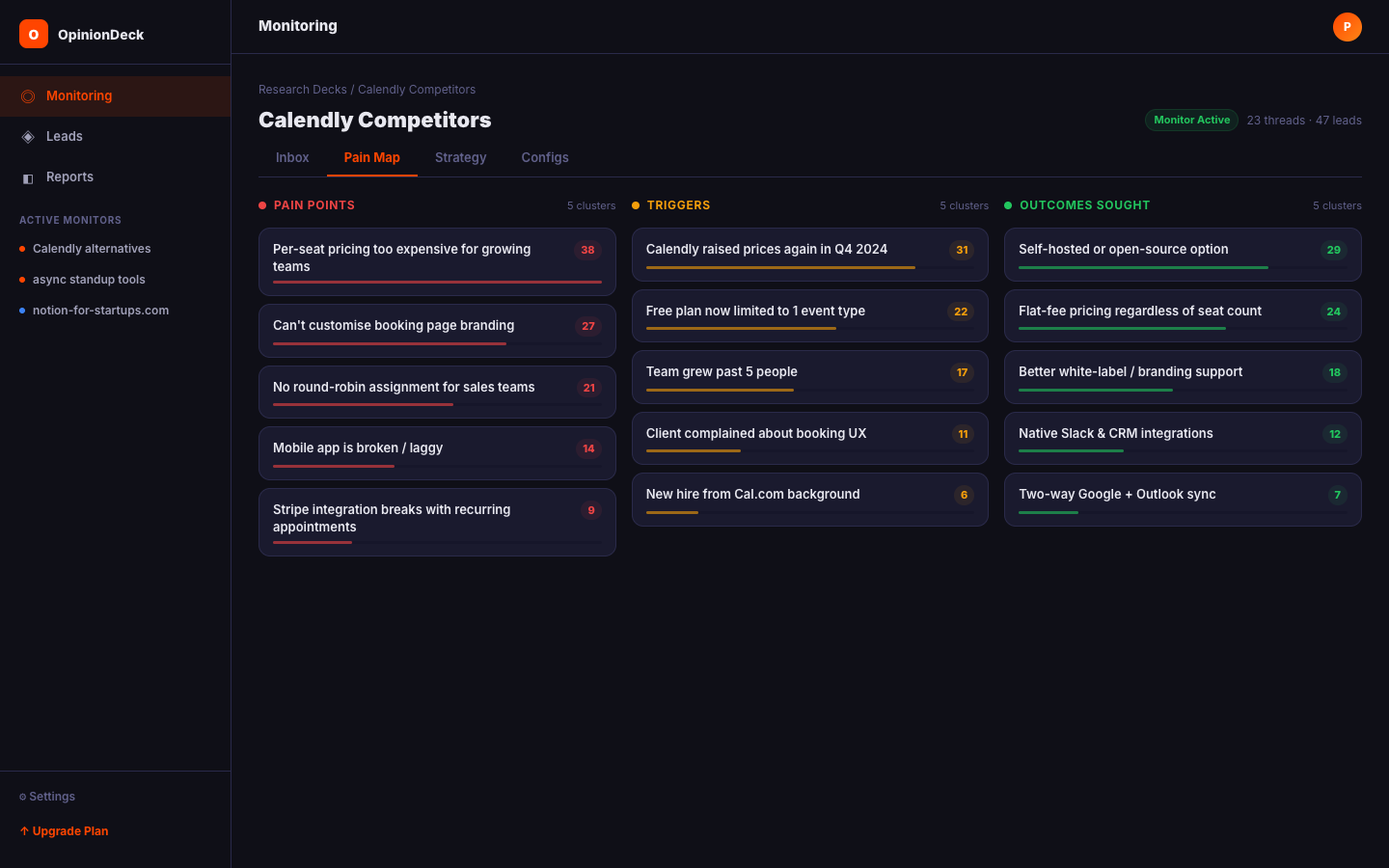
Patterns are recurring themes that OpinionDeck extracts by grouping leads with similar content.
For example, if 5 different posts in your leads feed all mention “can’t export data”, OpinionDeck will create a Pattern called “Data export issues” with a frequency count of 5.
Patterns appear in the Pain Map tab of your Research Deck. They’re sorted by frequency — the most common patterns appear at the top.
Monitoring alerts
Every scan generates an alert in the Inbox tab timeline:
| Alert type | What it means |
|---|---|
| ✅ New leads | Scan found matching posts; count shown |
| 🔵 No new leads | Scan ran but no posts cleared the relevance bar |
| ❌ Scan error | Something went wrong; will retry automatically |
Each alert is timestamped and shows the subreddit and keyword that triggered the scan.
Deactivating a Monitor
To pause a monitor without deleting it, go to the Configs tab of its Research Deck and click Deactivate Monitor. The monitor stops scanning but all existing leads and patterns are preserved.
To permanently delete a monitor, delete the associated Research Deck from the Folders view.
Tips for better monitoring
- Be specific in your context — “Project management tool for software engineering teams” performs better than “project management tool”. The more specific, the more accurate the relevance scoring.
- Watch smaller subreddits too — Niche communities (e.g.
r/devops,r/solopreneur) often have higher-intent users than large general ones. - Check the Patterns tab weekly — Patterns that appear more than 3 times in a week are strong signals for product roadmap or marketing messaging.
- Use lead statuses — Marking leads as
contactedorignoredkeeps your feed clean and helps you track outreach.